Meet the new GoTrack
Summary
We just shipped a new version of GoTrack that is fully redesigned, reworks route changes and favourites, and offers many new features and data points. It’s available now on the App Store and works best with iOS 26.
You asked
Back in October, we polled you, the GoTrack users, and asked what you’d like to see from GoTrack in the new year. We received hundreds of responses asking for new features. Specifically, the most requested items were:
- Home screen widget.
- Map tab.
- Custom search tab.
- Reworked favourites flow.
- UI redesign.
We delivered
In November, we shipped a map that shows your location along with the location of every GO Train station. This is useful for finding your way to stations and for tracking your progress while you’re riding a train (especially at night — who can see through those windows?).
Next, we wanted to ship a widget that could tell you about your next trip straight from your home screen without you even opening the app. We started working on it, but we hit a problem: widgets are still a relatively new feature in iOS and use a newer technology than the aging GoTrack codebase. We could’ve made it work, but we thought we could do better. So we rewrote the entire GoTrack codebase with that new framework.
Rewriting all of GoTrack gave us an opportunity not just to recreate it as-is, but to re-evaluate fundamental parts of the app that weren’t working. Items 4 and 5 in the survey results pointed out two such things: the way that users switch their routes and interact with favourites was a long-standing pain point, and the UI was dated and didn’t match well with iOS 26. We kept these problems in mind as we thoughtfully recreated each part of the app.
What’s new
The new, redesigned GoTrack is available right now on the App Store. The first time you launch it, you’ll notice quite a few changes.
New user experience
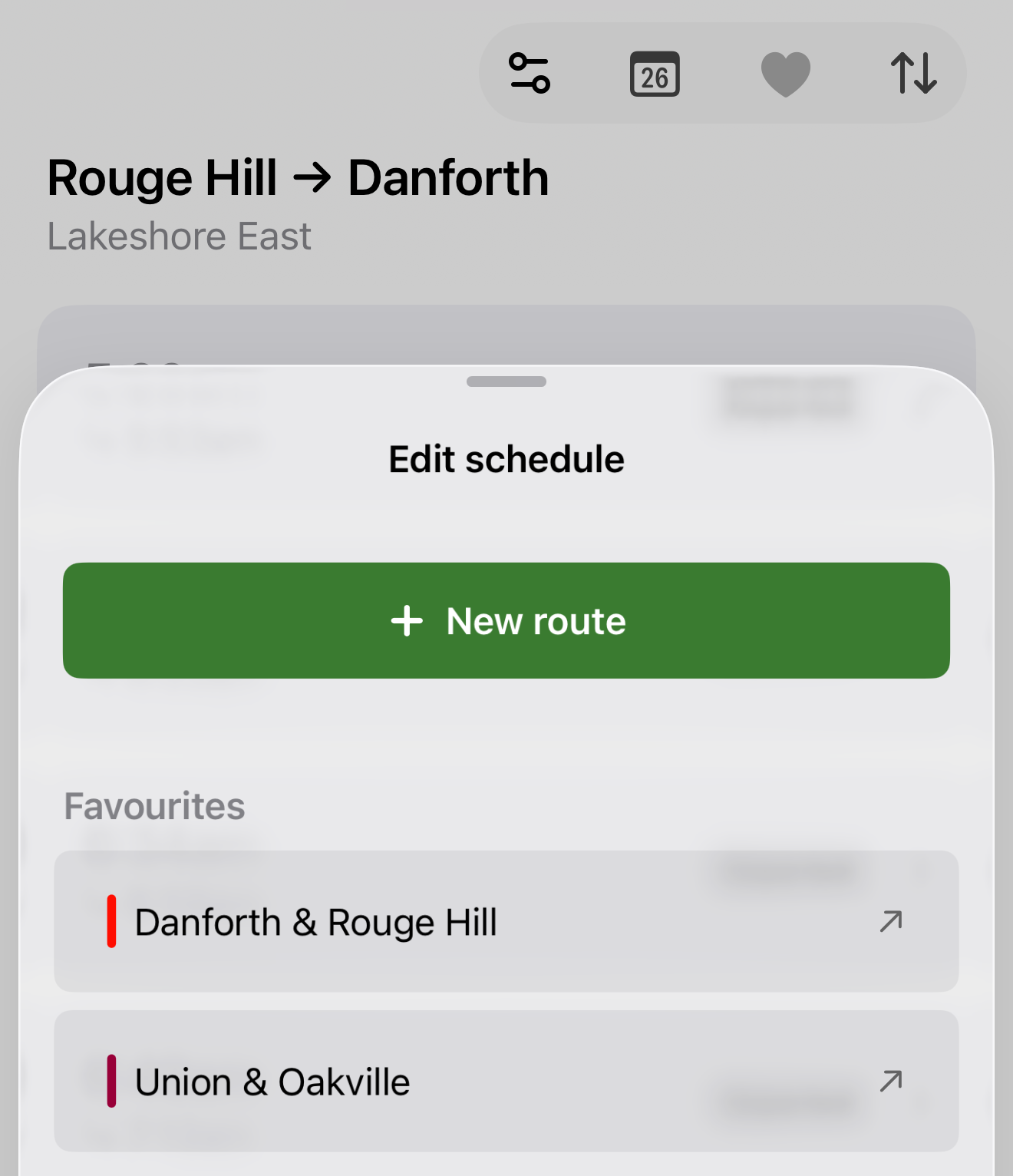
Previously, much of your schedule customization happened in the settings tab. This caused confusion for new users and slowed down existing ones. Now, changing routes and accessing favourites happens right where your schedule is: in the schedules tab.
The toolbar at the top right of the schedules screen controls everything about your schedule: your route, your favourites, and the viewing date. Selecting a new route and accessing your favourites happens from the same view; after all, they’re both fundamentally just different ways of changing your route.
Trip details
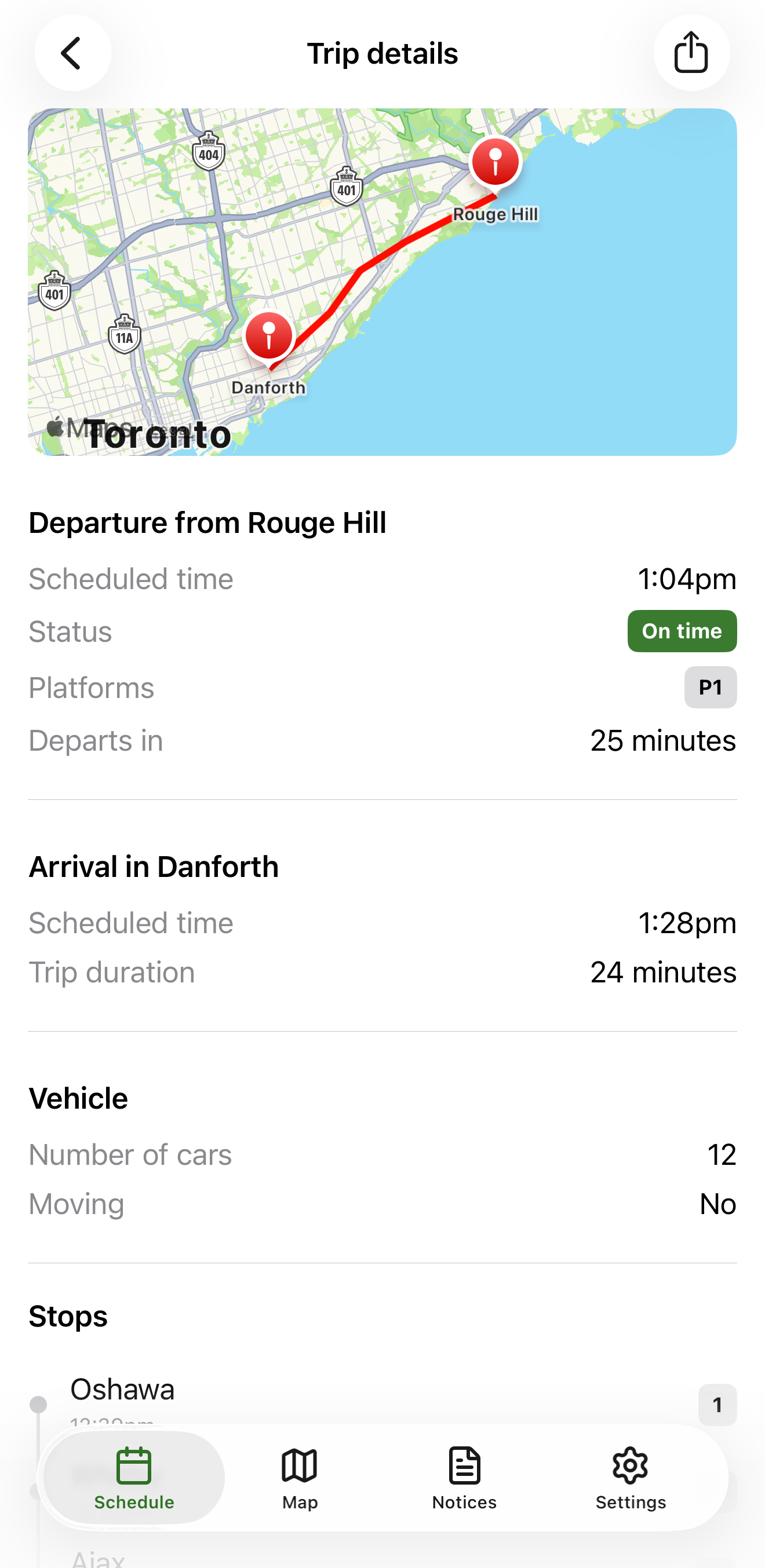
Tap on any trip in your schedule and you’ll see the new trip details screen. It’s a full-screen view that expands on every detail of the selected trip, including some brand new information:
- Map of the route.
- Relative time until departure.
- Whether the train is currently moving.
- Number of cars on the train.
- Whether the trip is expected to be eligible for a refund from GO Transit.
- Stops that the trip will make and their times.
Platforms at a glance
You don’t have to tap a trip to see its departing platform anymore. If the platform is announced, it will show right on the trip in your schedule next to the trip status. Platforms are marked with the letter P (e.g. P1).
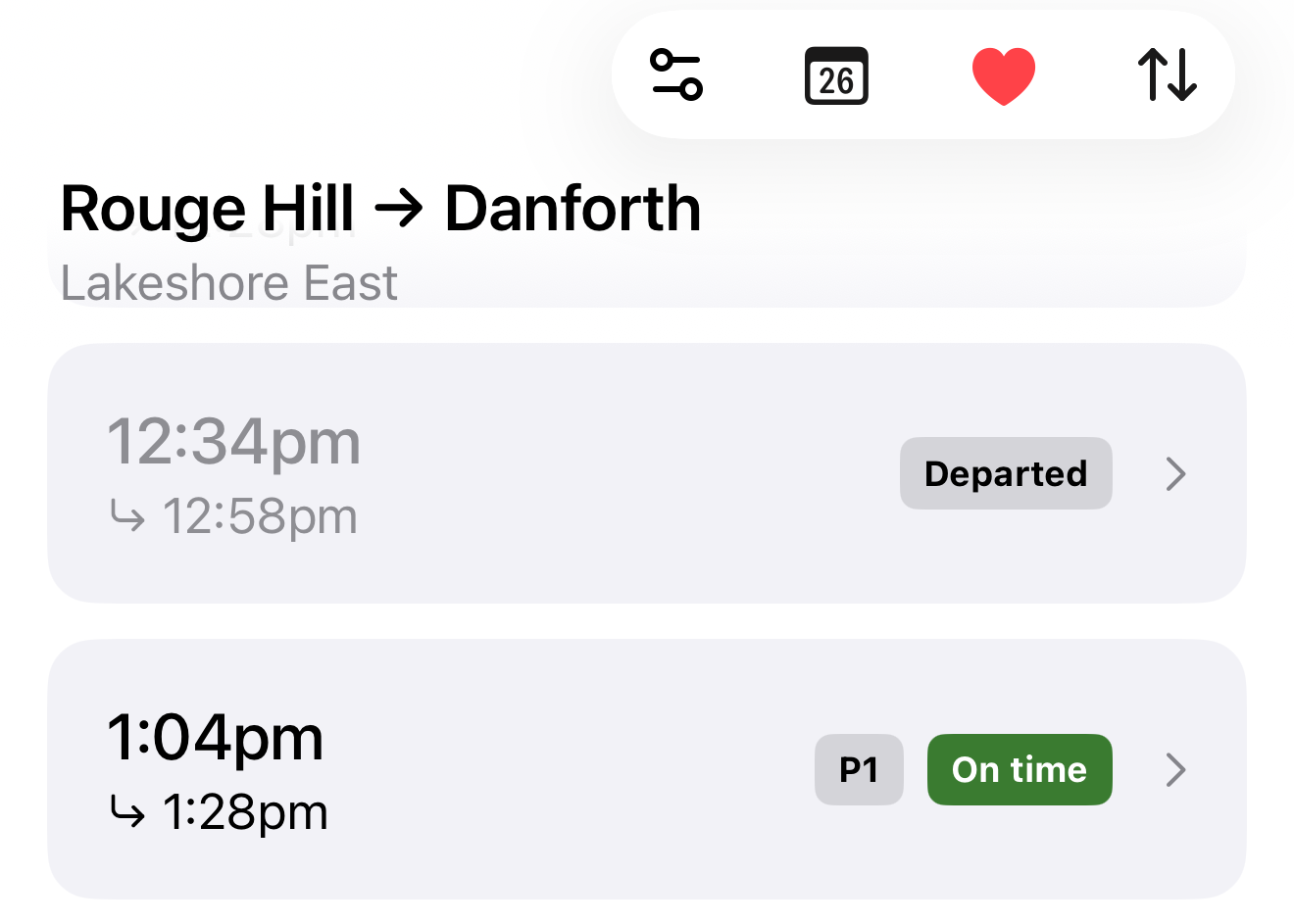
By the way, this took a bit more work to achieve than you might expect. GO Transit really doesn’t want us to check platforms for more than one trip at a time. But we did it anyway.
iOS versions
The new GoTrack works best on iOS 26. If your device is running iOS 18, you can run the new GoTrack, but you will be missing some features. If you have an older operating system, you won’t be able to get the update at all.
What’s next
So, one several-month-long detour of rewriting the whole app later, and we have a few new features… but what about those poll results that we were supposed to be working on?
Well, yes, time to get back on track (haha). That widget that you guys asked for will be coming in the next few weeks. Once that’s done, we will have fulfilled 4 of the 5 top priorities in the poll.
But we’re also thinking of all-new ways to make your ride better. For example, we think that automatic refunds from GO Transit for delayed trips could be a possibility. That way, we could save you money as well as time. And then GO Transit really won’t like us.
Additionally, we want to add a feature that lets you subscribe to a particular trip and receive push notifications if it gets delayed or cancelled. We haven’t quite figured out how that will work yet: for example, do you subscribe to just one trip, or all trips at that time of day? If you have thoughts on this, please let us know.
Your feedback
If you made it this far, maybe you would like to let us know how you feel about the update. Do you like it? Do you hate it? Did we break something that you relied on? Please let us know by dropping us an email. And if we did break something, we promise that we’ll fix it very quickly if you email us about it.